 Open in ChatGPT
 Open in Claude
The Pilely app for iPhone and Android
Every app built with Pilely already works in a phone’s browser: open its link and it’s there. The Pilely app for iPhone and Android makes that better. It opens any published Pilely app as a mini app that fills your screen, signs you in for you, and keeps all your apps in one place, a tap away.
It’s free, and it’s the same Pilely account you use everywhere else.
Jump to: What it’s for · Why use it · Who it’s for · Getting started · Opening an app · Sharing an app · Your account · Questions
What the app is for
Pilely lets you build a real web app by chatting with the ChatGPT, Claude or other AI you already use. Each app gets its own address on pilely.app that anyone can open.
That’s great on a computer. On a phone, though, a web app usually lives in a browser tab: squeezed under an address bar, asking you to sign in again, and easy to lose among all your other tabs. The Pilely app is the home for those apps on your phone:
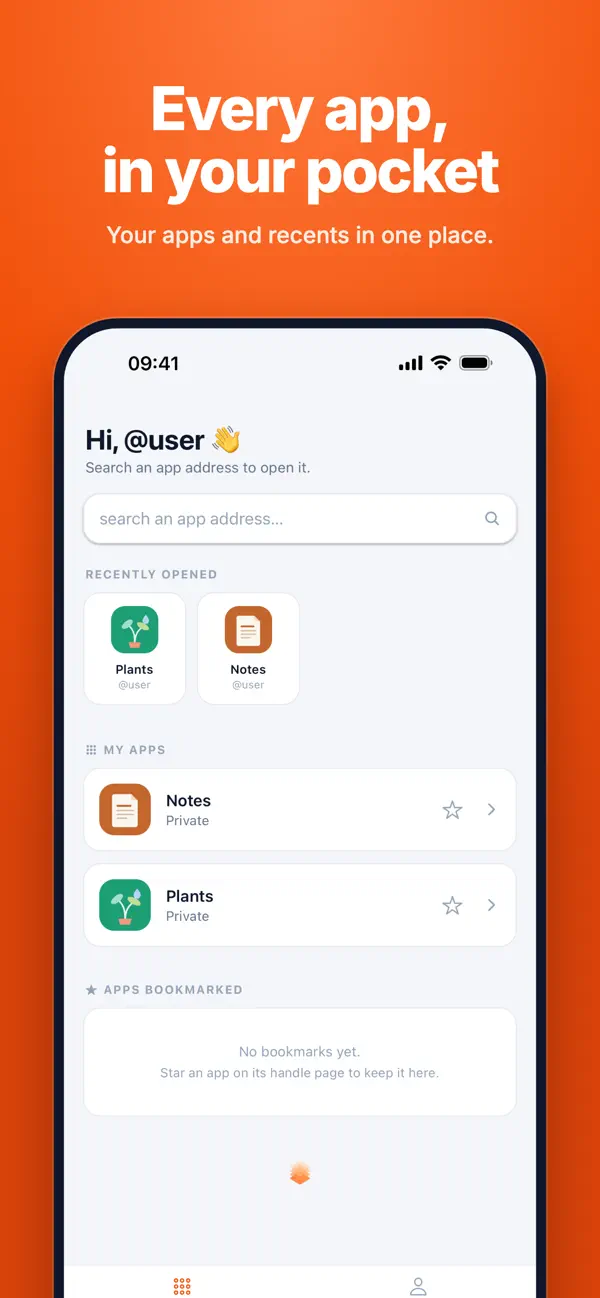
- One place for all of them. The apps you made, the apps people shared with you and the ones you saved sit together on one screen.
- Opened like a real app. Each one opens full screen, with no browser bar, so it looks and feels like something you installed.
- Already signed in. You sign in to Pilely once. Every app you open after that knows it’s you.
Think of it like a phone’s home screen, but for Pilely apps: nothing to install per app, and every app is always the latest version its maker published.
Why use it instead of the browser
You’re signed in automatically
In a browser, an app that needs you to sign in sends you through a sign-in step first. In the Pilely app, there’s none of that: the app opens already signed in as you. It works the same whether you open one app or twenty, and you never create a separate password for any of them.
Your data is saved to your account
What you put into an app, like the notes you write, the plants you track or the chores you tick off, is saved to your Pilely account, not just to the phone in your hand. Close the app, restart your phone or open the same app later on your computer, and everything is where you left it.
It’s made for your phone
Apps fill the whole screen, edge to edge, the way phone apps do. A small floating button in the corner holds the app’s menu and a close button, and stays out of the way the rest of the time.
None of the browser’s odd habits
Phone browsers were made for reading web pages, not for using apps, and it shows. Pull down a little too far and the page reloads, losing what you were typing. Switch to another tab or app for a moment and the browser may quietly reload the page when you come back. The address bar slides in and out as you scroll, pushing the app up and down.
None of that happens in the Pilely app. There’s no pull-to-refresh and no address bar, so the app stays put on the screen. While you’re using it, it reloads only when you ask it to, with Refresh in its ··· menu.
Going back is instant
Leave an app to check something else and come back: it’s exactly where you were, without loading again. The app you opened last stays ready in the background.
Everything in one place
Your home screen shows the apps you opened recently, the apps you made and the apps you bookmarked. No hunting through browser tabs or old messages for a link.
Who it’s for
People who use Pilely apps. A friend built a trip planner, your family has a chore chart, your club has a sign-up page. Open them in the Pilely app and they behave like proper phone apps, with no sign-in screens in the way.
People who build them. You built an app with your AI, and now you want to use it every day, show it to someone or check that it works on a phone. The Pilely app puts all of your apps on your home screen, tells you which are private and which are public, and lets you share any of them in two taps.
You don’t need to have built anything to use the app. And you don’t need the app to build: building still happens in a chat with your AI.
Getting started
- Download Pilely from the App Store on an iPhone, or from Google Play on Android.
- Enter your email address. Pilely sends you a 6-digit code: there’s no password to remember.
- Type in the code. If you already use Pilely, you’re in your existing account, with all your apps. If not, this creates your account.
That’s it. You land on your home screen.
Finding and opening an app
There are a few ways to get to an app:
- Search by its address. Tap the search bar and type an app’s address or its custom domain. Pilely shows the matching app as you type.
- Open someone’s handle. Everyone on Pilely has an @handle. Search for one to see the apps that person made public or shared with you.
- Pick it from your home screen. Your recently opened apps, your own apps and your bookmarks are all there.
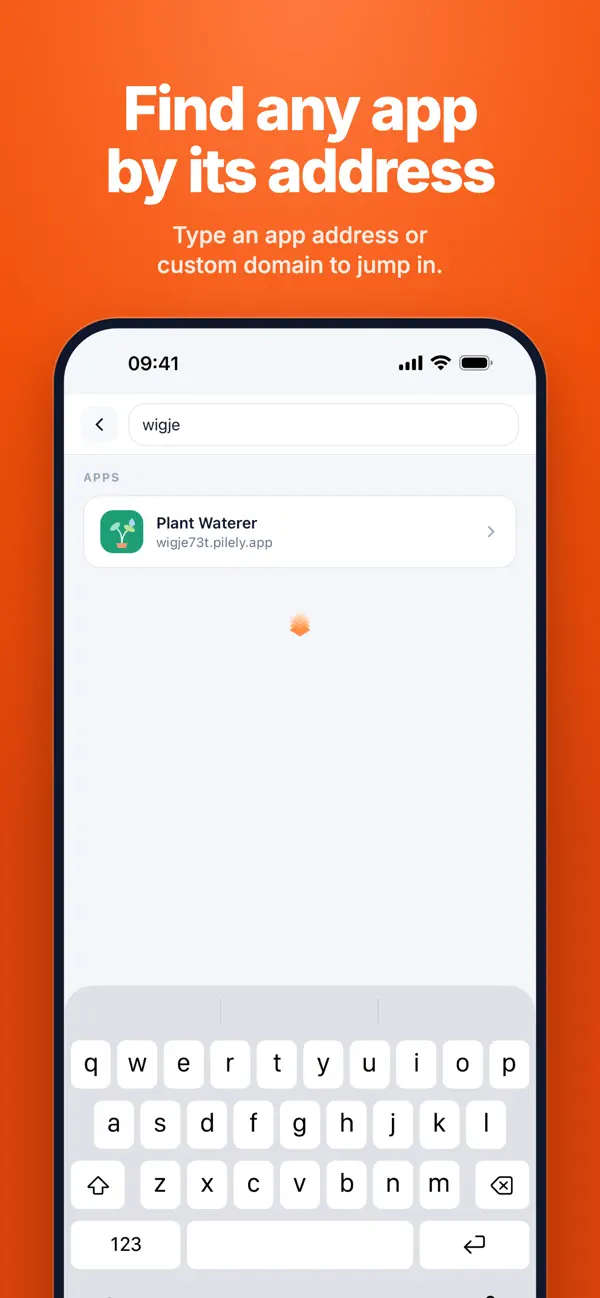
Tap an app and it opens full screen. The chip in the top-left corner shows whose app it is, with a check mark when that person’s handle is verified. The ··· button at the top right opens the app’s menu, and × takes you back home.
Bookmarking and sharing an app
The ··· menu on any app lets you:
- Bookmark it, so it stays on your home screen.
- Share it by message, by email or with any app on your phone, or copy its link.
- Use it in AI: Pilely copies a short message with the app’s link that you can paste into an AI chat, so the AI can open and use the app for you.
- Refresh it, to load the latest version.
Your account
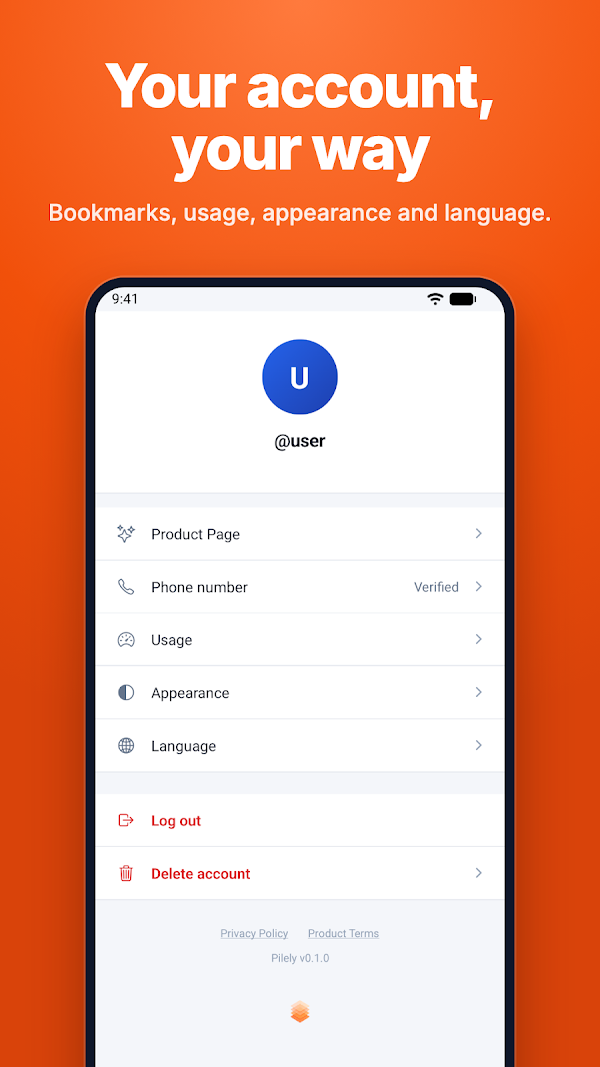
The Account tab is where your Pilely settings live:
- Usage: how much serving balance and storage your apps have left.
- Notifications: email alerts when your balance runs low or reaches zero, so your apps never stop by surprise.
- Appearance: light, dark or the same as your phone.
- Language: the app speaks the same languages as this site.
- Delete account: if you ever want to leave, you can delete your account from the app. You get seven days to change your mind.
Common questions
Is the app free? Yes. Downloading it and opening apps in it costs nothing. People who build apps pay for running them with Pilely credits, the same as on the web.
Do I need it to use a Pilely app? No. Every Pilely app opens in any browser, on any device. The Pilely app just makes them nicer to use on a phone.
Can I build apps in it? Not in the app itself. You build by chatting with ChatGPT, Claude or another AI, on your computer or in their phone apps, and your new app appears in the Pilely app as soon as it’s published. See how to build a web app without coding.
Is it the same account as on the web? Yes. One Pilely account, the same apps and the same data, on every device.
Which apps can I open? Any public Pilely app, any app someone shared with you and all of your own. A private app stays private: only its maker can open it.
What happens to my data if I delete the app from my phone? Nothing. Your data lives in your Pilely account, so it’s all there when you sign in again.